Web Builder Services

Image retrieved from https://mir-s3-cdn-cf.behance.net/project_modules/disp/a1f25d44886525.56078d013d2c5.png

After a long time of trying to figure out what to write about for my final blog of the month, I finally came up with an idea. Have you ever gone to a YouTube video and see an advertisement about Squarespace or Wix, or perhaps even a YouTuber has personally talked about these websites? Well, the topic of this blog is going to be about website builder services. Web builders are essentially websites designed to let anyone create their webpage in a much simpler manner.

I have not used these websites the only one I have ever used is the one I am currently writing on, WordPress. Many of these websites allow the user to customize webpages for their own needs, whether it be a blog or a place to sell their products without the need of having to code everything by hand themselves. These websites are created in such a way that anyone who doesn’t have experience with web design is capable of customizing their webpage.

That being said, is it better to learn how to build a webpage from scratch or is it better to use one of these web builders? I would say that the answer to that question depends on the person. I am more of a do-everything myself kind of gal but I also have my limits and lack of experience when it comes to certain things, web design being one of them. So putting myself in the shoes of someone who has no experience in web design, other than the one class I took on it, I could see why people decide to use these web builders as they are pretty efficient. The good thing about some of these web builders is that some are open-sourced, meaning someone with experience in coding can completely go in and change every little thing to how they want the webpage to look. Thus, these web builders are not only tailored for inexperienced people, but also for designers who can use it as a means to practice, or as a platform to begin their design on.

I would recommend starting with a web builder and if you feel more comfortable and find interest in designing websites, then definitely learn the magic of HTML and CSS coding.

Thoughts on Web Design

Image retrieved from https://www.maxpixel.net/static/photo/1x/Binary-Monitor-Binary-Code-Cloud-Cloud-Computing-3017392.png

I am a bit disappointed with myself, but only a tiny bit. This is because I had high hopes that I would enjoy my Web Design class, but at the end of the day, I’ve realized that I’ve been slacking quite a bit. I still get my work done don’t get me wrong, but I just lack the motivation and excitement I’ve had with my previous classes when it comes to getting the work done. I’m guessing I’ve found the part of Graphic Design that I can scratch out in terms of possible career fields I would want to do in the future.

This is my third week in the class and I have learned quite a bit. I felt that learning Web Design was difficult and not interesting at first, but once I sat down to do it and start coding and seeing the changes in action was the part that was fun for me. Maybe I’ll change my mind in a distant future about Web Design and take the time to research and learn more about it, but as of right now it is not something that catches my attention.

However, I will go on and mention the importance of Web Design. For starters, Web Design is important to online marketing as many businesses and companies create their websites to advertise and sell their products. A good website design reflects on the company’s image, message, and whether it is trustworthy enough to buy from them. Many people these days use the web to gather their information and do research for things like projects, school work, and the likes so an informative website needs to be interesting enough to maintain the viewer’s attention as well as be factual and easy to navigate. Essentially, the CSS coding is going to be a huge help to make your HTML code look interesting and appealing.

What makes a good Website Design?

Image retrieved from https://cdn.pixabay.com/photo/2017/01/29/13/20/mobile-devices-2017978_1280.png

It is getting harder to come up with topics to write a blog about for this month. So for this week, I will talk about what makes a good website design from what I have learned about so far in class as well as from my book.

Any website should be visually appealing but also easy to read and navigate. You can’t overcrowd the website with many things happening at once like very flashy animations and graphics everywhere to the point that viewers are confused by it all.

The goal of your website is to inform people of certain services and keep people interested in visiting the said website. Therefore, if you have links that lead to other pages make sure that the link is set so that it can open in a new tab, that way viewers will be able to come back to your page easily.

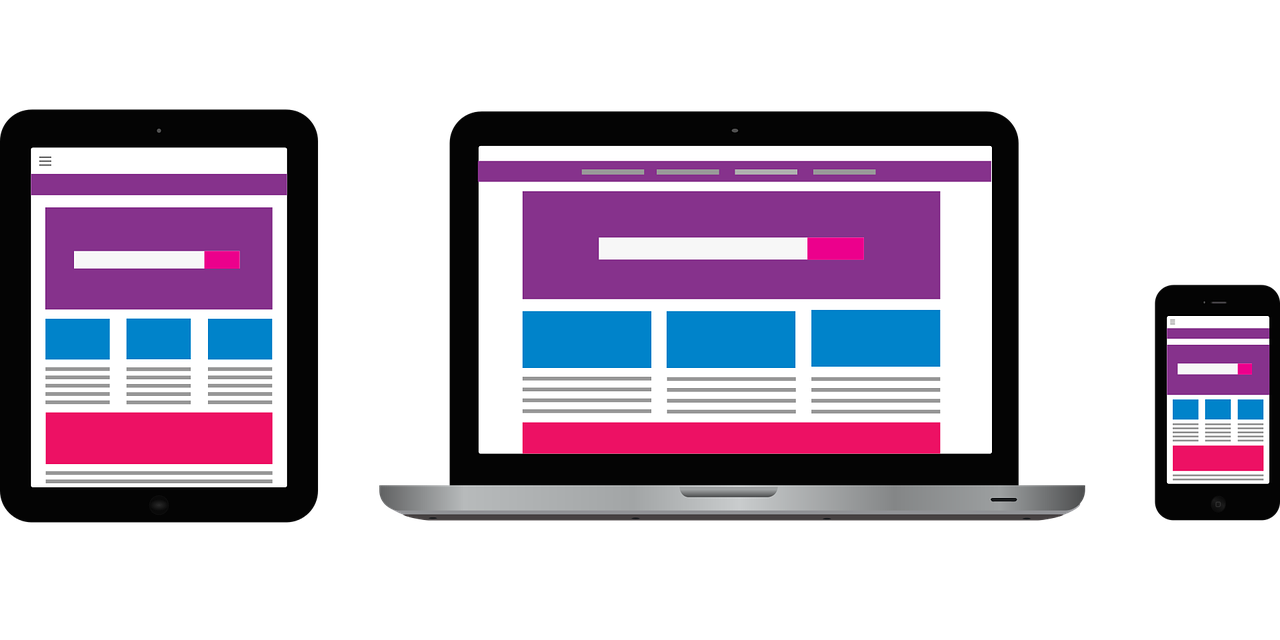
It is considered bad design if you need to have people scroll horizontally. This is because many devices can scroll vertically so there shouldn’t be a reason to scroll both vertically and horizontally. When creating the website one of your priorities must be working with the available width, not the height, and make adjustments according to the size of the devices you wish the website be seen on as the dimensions vary between devices.

Then there are also Graphic Design elements that make it a good website design. Things like fonts, overall layout, images, and colors highly influence whether the website is easy to read and if it is appealing enough to continue reading.

Loading please wait
Image retrieved from https://flic.kr/p/Jdkvo6

Lastly, but most importantly, keep in mind the loading time for the website. People tend to have a short attention span, if they have to wait more than 10 seconds for a website to load, it is less likely that they will keep waiting to read the contents of the website. Therefore things like image sizes and video sizes should be kept in mind as they greatly affect the loading time.

Reference:

Carey, P. (2016). New Perspectives on HTML5 and CSS3 Comprehensive (7th ed.). United States of America: Cengage Learning.